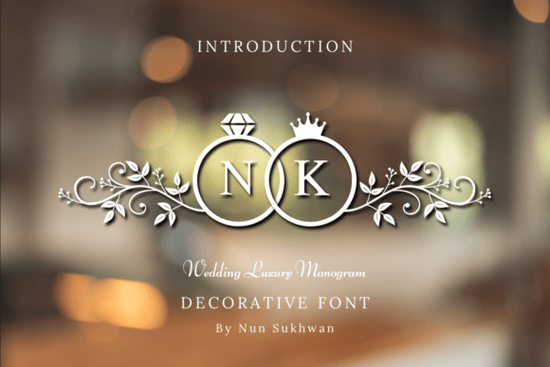
If you're working on wedding stationery, luxury branding, or elegant event materials, the Wedding Luxury Font is a decorative typeface worth looking at. It combines monogram ring enclosures, diamond cutouts, royal crowns, and detailed botanical filigree into one ornate lettering style. Whether you design invitations, create POD products, or run a small business around special occasions, this font brings a polished, regal quality that's hard to achieve with standard typefaces.
What Makes This Font Different from Other Decorative Fonts?
Most decorative fonts rely on swirls or hand-lettering styles. This one goes further by building each letter inside a vector ring enclosure, complete with crown accents and diamond details. The symmetrical filigree of leaves and flourishes wraps around each character, giving it the look of a family crest or coat of arms.
That combination of jewelry-inspired elements and botanical design sets it apart from typical wedding fonts. It doesn't just look romantic it looks expensive and intentional, which matters when you're creating materials for high-end events or premium product lines.
What Can You Use It For?
This typeface works well across a range of projects. Here are some practical uses:
- Wedding invitations and save-the-dates monogram initials on formal stationery
- Premium jewelry branding logos, packaging, and business cards for fine jewelry shops
- Anniversary favors and gift tags elegant labels for milestone celebrations
- Monogram stamps and wax seals ideal for custom rubber stamp designs
- Event headers and signage welcome signs, table numbers, and menus for upscale receptions
- Print-on-demand products mugs, tote bags, and wall art targeting the bridal market
For designers who also work with decorative monogram fonts, this typeface fills a specific niche luxury wedding and anniversary styling with a historic, crest-like feel.
Who Is This Font Best Suited For?
If you're a graphic designer building a wedding stationery collection, this font gives you instant access to ornate, layered monogram designs without spending hours on custom illustration.
Print-on-demand sellers can use it to create products that appeal to the bridal and anniversary gift market think personalized wall art, matching couple mugs, or luxury invitation templates on Etsy.
Small business owners in the wedding industry planners, florists, jewelers can apply it to branding materials that need to feel refined and upscale. Even craft hobbyists working with cutting machines like Cricut or Silhouette can incorporate the vector elements into physical projects like decals, cards, and scrapbooking layouts.
How Does It Pair with Other Wedding Fonts?
Pairing fonts is where this typeface really shines. Use the Wedding Luxury Font for monograms, initials, or headline accents, then pair it with a clean serif or script font for body text and details. This contrast keeps your designs readable while still feeling luxurious.
If you want to mix decorative styles within the same project, consider combining it with something like the heart tree decorative font. That font brings a different botanical and romantic feel tree silhouettes with heart shapes that complements the crown-and-filigree look without competing for attention.
You could also look at Wedding Heart Tree Font as an alternative if your project leans more toward nature-inspired romance rather than regal elegance.
Is It Easy to Work With?
Because the design elements are vector-based, the font scales cleanly from small monogram stamps to large-format signage. It installs like any standard font file, so you can use it in Adobe Illustrator, Photoshop, Canva, CorelDRAW, or any software that supports custom fonts.
Keep in mind that because each character includes detailed enclosures and filigree, this font works best at larger sizes. At very small sizes, the intricate details can get lost. For body text or fine print, pair it with a simpler typeface.
Quick Project Checklist
- Download and install the font on your system
- Open your design software and type your initials or headline
- Set the font size large enough for the crown and filigree details to show clearly
- Pair with a clean complementary font for supporting text
- Export in the right format vector (SVG/PDF) for print, raster (PNG) for digital
- Test on a small batch before running a full print or POD production
Tip: Start with just two or three initials for monogram designs. The ornate enclosures look their best when each character has room to breathe. Crowding too many letters together can make the design feel heavy and hard to read.
Explore Design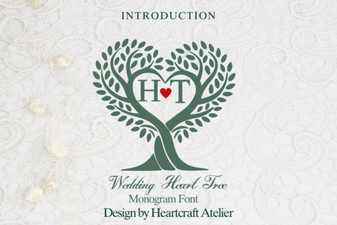 Elegant Wedding Heart Tree Font for Romantic Invitations
 Creative Rotation Font Designs for Dynamic Typography
 Campus Font: a Fresh Typeface for School and College Projects
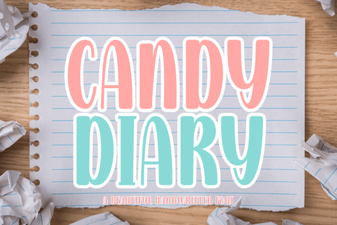 Candy Diary Font: Sweet Handwritten Style for Creative Projects
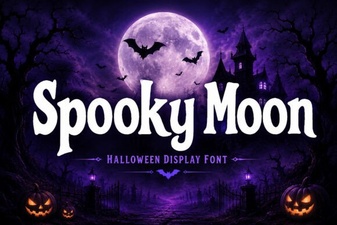 Spooky Moon Font for Halloween Designs and Creative Projects
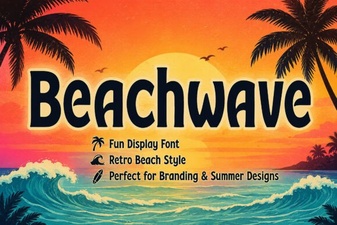 Beachwave Font: Breezy Script for Creative Design Projects